
Networking
Network modernization for multi-site operators — a practical playbook
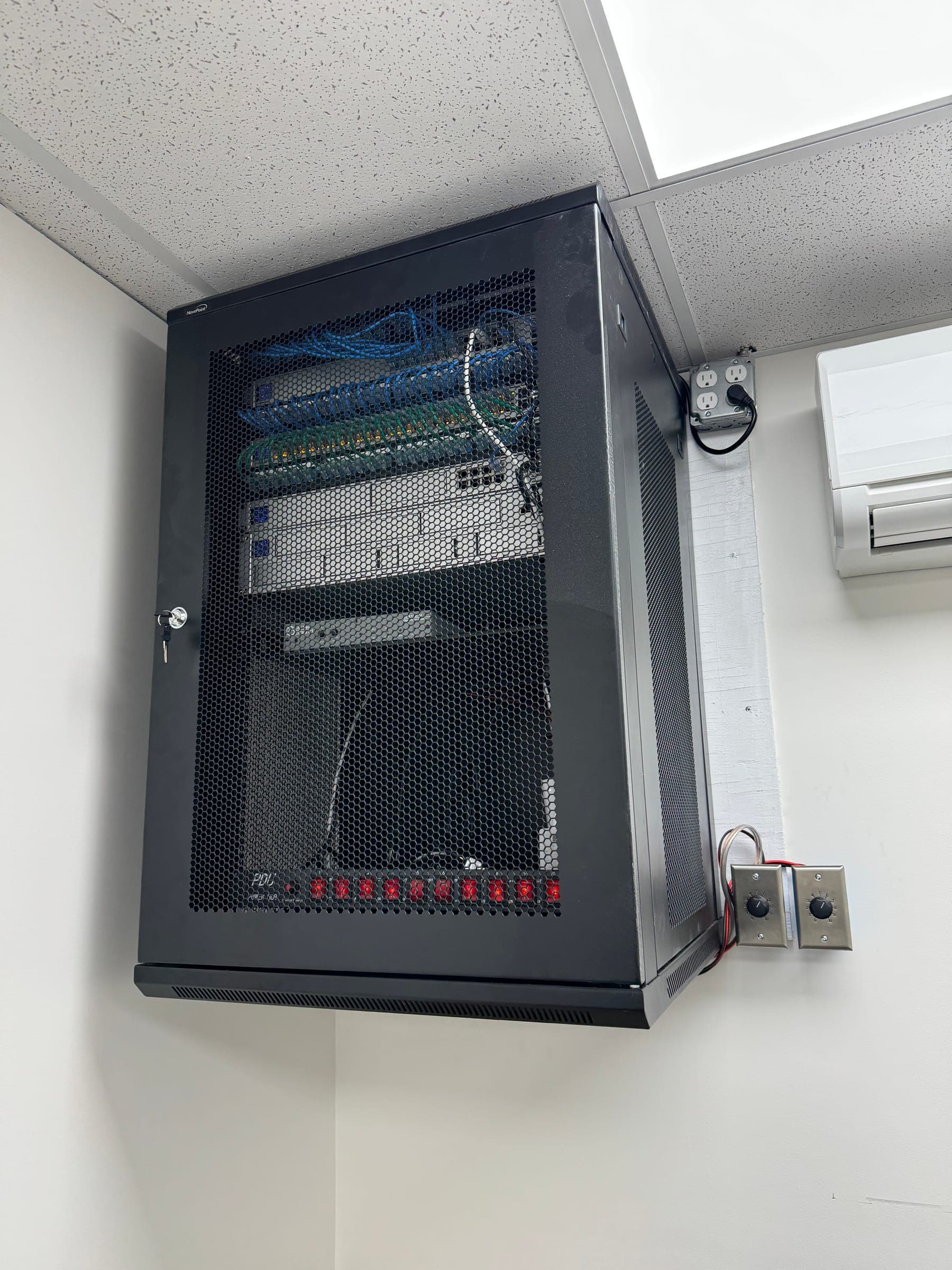
A blunt walkthrough of what to rip out, what to keep, and what to budget for when modernizing a flat, decade-old network across multiple restaurant or retail locations.
If you operate 3+ restaurants, c-stores, or retail locations and the network was originally set up by 'a guy your contractor knew' some time before 2020, this post is for you. Here's the honest, vendor-agnostic playbook we run when we modernize a multi-site network — what to rip out, what to keep, and what to spend money on.
What's actually driving modernization right now?
Four pressures are forcing operators off their legacy networks at the same time, and they compound each other. Together they make the 'we'll deal with it later' position much more expensive than the rebuild.
- PCI 4.0 is the active standard — flat networks (one VLAN for everything) are no longer compliant in spirit. Carriers and insurers are increasingly auditing this directly.
- Labor scarcity has pushed operators toward cloud POS, online ordering, kiosks, and KDS — each of which adds bandwidth and reliability demands the old network was never sized for.
- Cyber-insurance premiums are now contingent on demonstrating segmentation, MFA, and a documented patching cadence — the same items that flag a network as 'modern.'
- Cellular pricing collapsed to the point that LTE backup is cheaper than a Saturday-night ISP outage, by an order of magnitude. There's no longer an economic excuse to skip it.
What to rip out (the four liabilities)
1. The flat network
If your back-office laptop, your card terminal, and your guest Wi-Fi are all on the same VLAN, that's a flat network. It's the most common finding when we audit a legacy site. Cardholder traffic has to be on its own segment under PCI 4.0; back-of-house, guest Wi-Fi, and IoT (cameras, signage, thermostats) need their own VLANs too. Minimum: four segments per site.
2. Manual failover
Two ISPs is good. Two ISPs where someone has to physically swap a cable when the primary goes down isn't a failover — it's a Plan B that nobody follows at 7pm on a Saturday. Real failover is sub-second, automatic, and tested every month by the monitoring system. SD-WAN appliances handle this transparently.
3. End-of-life firewalls and 'modems with router firmware'
Anything more than five years old is either past EOL or about to be. EOL gear stops getting security patches. It also stops being defensible to your insurer if you get breached. Identify EOL gear with a one-time audit, replace it with next-gen firewalls (Meraki MX, Fortinet FortiGate, or equivalent) with cloud-managed policies.
4. Consumer-grade Wi-Fi
Single SSID. Single AP behind the counter. No spectral analysis. That's consumer-grade. Multi-site operations need 802.11ax (Wi-Fi 6) APs placed by an actual RF survey, with separate SSIDs and VLANs for staff, payments, and guests. Each AP cost is more than a Best Buy router, but it's the difference between 'the POS keeps dropping' and 'the POS just works.'
What to install (the four upgrades)
- 01SD-WAN with LTE backup — combines fiber + cable + cellular into one logical link with sub-second failover. Vendor-agnostic; we've shipped Meraki MX, Fortinet, and Cradlepoint depending on site size.
- 02Cloud-managed network — switches, APs, and firewalls administered from one dashboard. One change pushes to every location in seconds. No more on-site truck rolls for VLAN tweaks.
- 03PCI-segmented VLANs by default — cardholder, back-of-house, guest, IoT, and (where relevant) clinical or kitchen-display traffic each on its own segment.
- 0424/7 SOC-style monitoring with on-call escalation — humans watching every device on every site, not a dashboard that emails you a ticket at 3am.
What does it actually cost?
Honest numbers, per site, for a typical sub-50-unit operation:
- Hardware (next-gen firewall + 2–4 cloud-managed APs + a managed switch): $3,500–8,000 upfront, depending on site size
- LTE backup managed router: $80–140/mo with a static IP and unlimited data
- Managed services (24/7 monitoring + patching + on-call): $150–400/mo per site, depending on tier
- Initial deployment labor + RF survey: $800–2,000 per site, one-time
Compared to a single Saturday-night outage that cost a 200-cover restaurant $4,800 in walked-away dinner business, the math is straightforward. We've never had an operator regret the spend after a year.
In-house vs. managed services — when each makes sense
Below 50 locations, in-house network engineering is hard to justify. A senior network engineer in a major US metro is $130–180k all-in, and you need at least two for coverage. A managed services partner running the same scope is $30–80k/year for a 5–10 unit operation, with a team behind the phone rather than one person who gets sick.
Above 50 locations and a complex internal tech surface, in-house starts to pencil. Common shape: one internal Director of IT, plus a managed partner doing the deep technical execution. That hybrid is what we recommend for operators between 50 and 250 units.
A 90-day rollout plan that actually works
Modernizing a multi-site network in 90 days
- 01
Audit every site, in person
Walk each location, photograph the IDF closet, get model numbers and firmware ages. Identify EOL gear, find the flat-network sites, score the Wi-Fi coverage. Done in week 1–2 for a 5–10 unit operation.
- 02
Negotiate ISP and cellular contracts
Most operators are overpaying for primary bandwidth and not paying for cellular at all. Both negotiable. Renegotiate in parallel with the technical design so the new ISP terms align with the SD-WAN go-live.
- 03
Pilot at the lowest-revenue site first
Pick the location where a hiccup is least painful. Deploy the full target architecture there. Run it for two weeks. Hold a post-mortem; iterate the runbook.
- 04
Sequence rollout to dodge dayparts
Schedule each cut-over for the slowest day and time at that location. Train staff on-site before the cut. Have a rollback plan in the pocket of the engineer onsite.
- 05
Standardize after the last site
Push a uniform configuration baseline across every location. Document the runbook. Set up monthly compliance scans and quarterly business reviews. Modernization isn't a project — it's a posture.
The single most-missed step
Staff training. Operators spend $50k modernizing their network and then nobody at the location knows how to recover when something goes wrong on a Saturday. Train the GMs. Train the openers and closers. Print a one-page runbook for the office. The system runs on humans even after the cables are clean.