
Technology
Restaurant IT support explained — the nine services operators should actually get
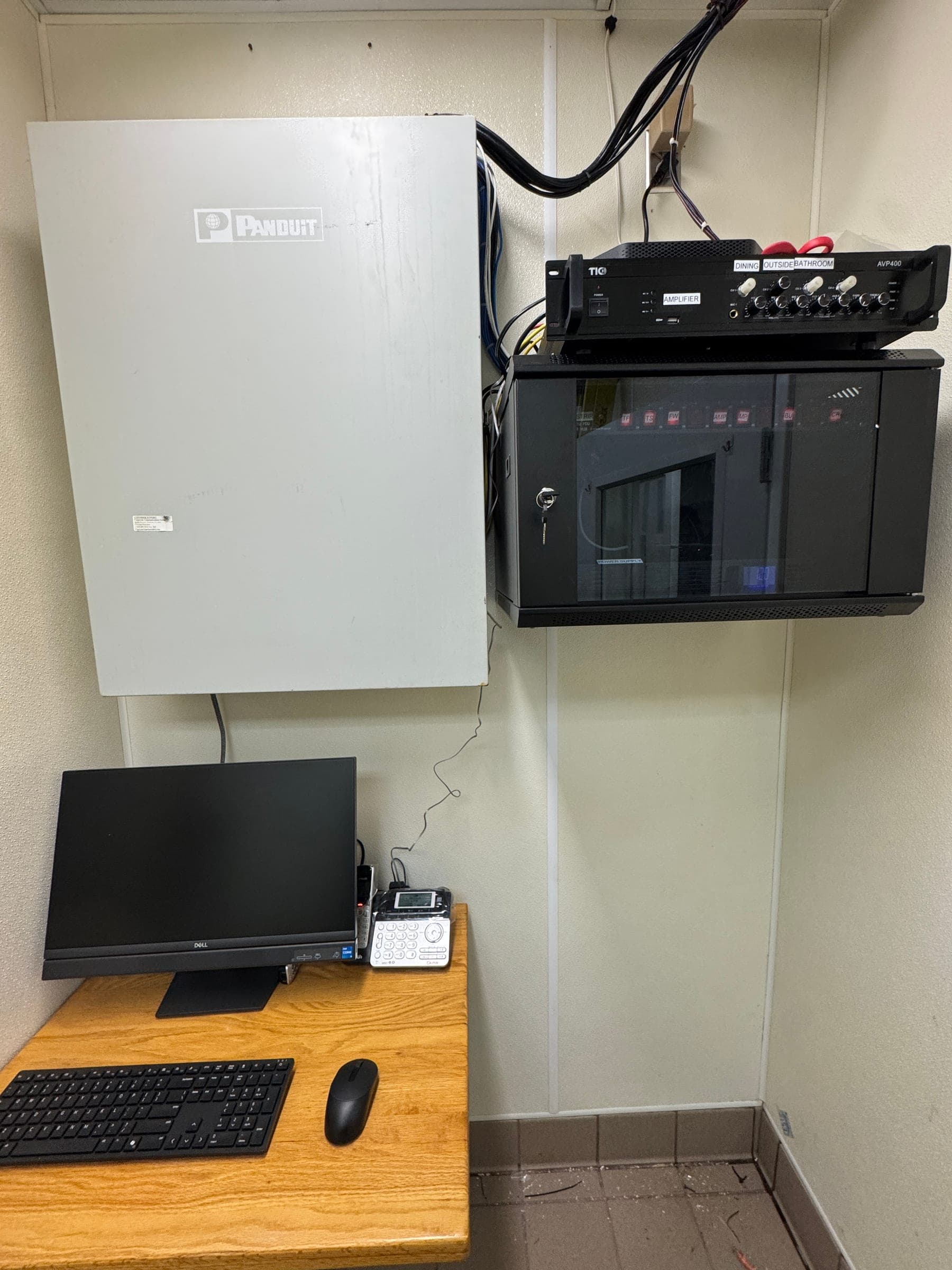
"IT support" for a restaurant means nine specific things — from help-desk phone coverage to POS installs to cybersecurity monitoring. What's actually included, what to look for in a provider, and where most operators overpay.
Most operators we talk to are paying for "IT support" but couldn't tell you what's inside the invoice. They know the POS company answers the phone (sometimes), the security-camera company shows up for a broken camera (eventually), and the wireless got installed by "a guy the contractor knew." That's not IT support — that's a stack of separate vendor relationships pretending to be one thing.
This is what an actual restaurant IT-support agreement should cover, category by category, in plain language. Use it as a checklist when you're evaluating a provider (existing or new). See our note on [in-house vs. outsourced tradeoffs](/blog/outsourced-it-vs-in-house-restaurants) if you're still deciding which model to run.
Reactive services — the day-to-day
1. Help desk
One phone number that a GM can call, day or night, when the POS won't load, the printer stopped printing, or the credit-card terminal is asking for a signature that shouldn't be there. Real help desk means the person on the line has the context to actually help — they know your POS platform, your network layout, your rack. Not "please describe the problem" for the third time.
2. Hardware and software support
Replacing a POS station that's cooked. Updating firmware on the router that started drifting. Patching a workstation before its next reboot lands mid-service. Installing the new signature-capture terminal the processor sent last Tuesday. All the small, tangible touches that keep the physical layer working.
3. Cloud + remote access
Most modern restaurant tools are cloud-hosted — POS, KDS, online ordering, marketing, back-office reporting. IT support handles user provisioning, single sign-on, permissions cleanup when a manager leaves, and secure remote access for the owner who's checking sales from a phone at the beach. If it's SaaS, someone still owns the account discipline.
Proactive services — what should be quiet
4. Network + infrastructure management
Firewalls, switches, wireless access points, cabling, ISP relationships, LTE backup — the whole invisible layer that carries every transaction. This is the layer that shouldn't be reactive. A good provider designs it once, monitors it continuously, and touches it during planned windows, not during service. See our [network modernization playbook](/blog/network-modernization-multi-site-operators) for what "good" looks like at the design level.
5. Monitoring + preventive maintenance
Every switch, AP, firewall, UPS, and DVR reports health status 24/7 to a central console. Humans (not just dashboards) triage alerts. Quarterly on-site preventive maintenance keeps the closet cool, the UPS batteries tested, and the firmware within 90 days of current. This is the discipline that turns a Saturday-night outage from "weekly" to "quarterly at worst."
6. Backup and recovery
Menu configurations, POS databases, DVR retention, back-office documents, payroll files — all of it backed up daily to somewhere off-site with a quarterly restore drill. A backup you've never restored is not a backup, it's a wish. Every restaurant we've onboarded had at least one "backup" system that couldn't restore.
Security — the layer with the highest downside
7. Cybersecurity
Endpoint protection on every terminal. Phishing-simulation training for staff. Multi-factor authentication on every admin login. Network segmentation between cardholder traffic and everything else (a PCI 4.0 requirement now, not a nice-to-have). Quarterly patch and vulnerability review. When a provider says "we handle cybersecurity," ask them to name those five things.
Project + strategic services
8. On-site installations and rollouts
New POS at a new location, kiosks going in at three locations over two weekends, security cameras added to the drive-thru — physical work by real technicians on your floor. The best providers sequence around your busy dayparts, train staff in person before go-live, and stay on-site for the first weekend after cutover.
9. IT consulting + strategic planning
Quarterly business review with the owner. "Here's what's aging out, here's what to budget for next year, here's what changed on the compliance side, here's what's happening in our vendor stack." This is the difference between a vendor and a partner. If your IT provider has never sent you a quarterly written summary, they're a vendor.
How restaurants use IT support differently from a corporate office
Restaurants are unusual in three specific ways that generic IT providers routinely miss:
- The customer is standing in front of the failure. Corporate IT has patience during an outage; a full dining room does not. First-response SLAs matter more, and off-hours coverage is table stakes.
- The team is mostly non-technical. GMs, cooks, and servers can't triage a switch-port issue. Support has to be usable by non-technical staff via one phone call, not a portal login with a password nobody remembers.
- The stack is fragmented by design. Payments processor, POS, KDS, online ordering, delivery marketplaces, loyalty platform, music, cameras, back-office — that's 10+ vendors on a good day. IT support has to coordinate across all of them, not just the ones on their sales sheet.
What most operators overpay for
Three patterns we see routinely when auditing existing IT support contracts:
- 01Redundant vendors. POS vendor is billing for "support," the network vendor is billing for "support," and the security-camera vendor has its own "support" line item. Three bills, three phone trees, three response times — and no one owns end-to-end. Consolidating cuts cost 20-40% and shortens response times.
- 02Break-fix pricing instead of managed. Paying $180/hour when something breaks, versus a flat monthly fee that includes fixes, means every emergency also comes with a rate-shock conversation. Managed pricing is almost always cheaper over 12 months for anyone with more than one location.
- 03"24/7 support" without a written SLA. Ask any provider for their first-response and resolution targets in writing. If they can't produce them, "24/7" means "someone might pick up."
How to evaluate a restaurant IT-support provider
How to evaluate a restaurant IT-support provider
- 01
Ask for their coverage of all nine service categories
Help desk, hardware/software, cloud/remote access, network, monitoring, backup, security, project work, strategic planning. If they don't cover them all, ask which ones they subcontract and to whom.
- 02
Ask for the SLA in writing
First-response and resolution targets by severity (P1 production down, P2 degraded, P3 minor, P4 request). Verbal answers don't count. If the answer is "24/7" with no severity table, that's a red flag.
- 03
Ask for three operator references — not their marketing case studies
Same segment as yours. Ask each reference how long the response was during the last real emergency and whether the invoice ever surprised them.
- 04
Confirm PCI 4.0 posture is included, not extra
Network segmentation, MFA on admin access, quarterly external scans, annual SAQ filing help. If any of these is billed separately, you're carrying compliance overhead yourself.
- 05
Ask how they earn money on payment processing
Many IT providers share in the processing residual. That's fine, but it should be disclosed and capped so you know the total spend, not just the invoice. Providers who won't disclose this are also the ones most likely to steer you toward a bad processor.
- 06
Ask what a normal month looks like
Real answer: a quarterly on-site visit, a monthly performance summary, a handful of tickets, and one live-fire fail-over drill per year. If the answer is "you call us when something breaks," that's break-fix in a managed wrapper.
Small operators — do you really need this?
Yes, but the shape is different. A single-location operator doesn't need enterprise-tier managed services. What they need is: someone accountable for the network + POS end-to-end, a real SLA (even if it's business-hours + emergency escalation), a written backup process, and quarterly maintenance. The cost is $200–400/mo for a single site — meaningfully less than one busted Saturday.